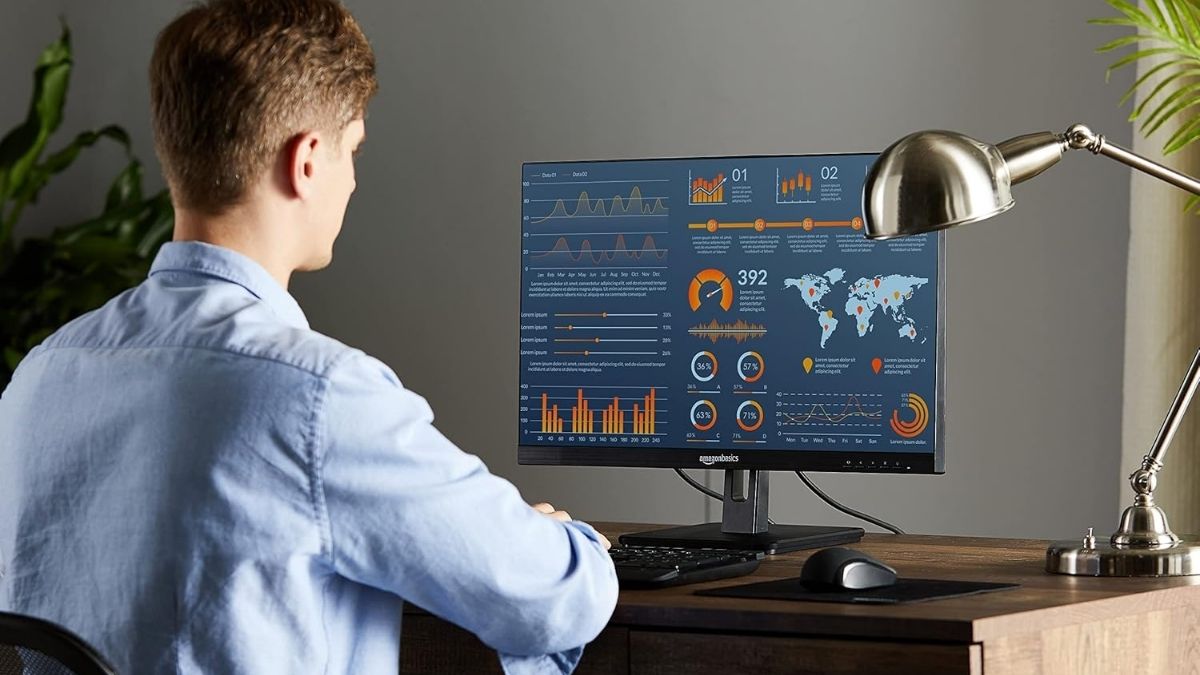
Finding a monitor that balances affordability, screen size, and everyday performance can be challenging. You want something large enough to boost productivity, comfortable for long hours, and reliable without paying for features you may never use. The Amazon Basics 27-Inch IPS Monitor targets exactly that audience—remote workers, students, and casual users looking for dependable value.
Below, you’ll find a complete breakdown of what this monitor offers, how it performs in real-world scenarios, and where its limitations may matter to you.
Key Specifications Overview
Before diving into performance and usability, it’s important to understand the foundation this monitor is built on. Specifications don’t tell the whole story, but they set realistic expectations.
- 27-inch IPS display
- Full HD resolution (1920 × 1080)
- 16:9 aspect ratio
- Up to 75Hz refresh rate (varies by model)
- HDMI, DisplayPort, and VGA inputs
- Built-in stereo speakers
- VESA mount compatible (100 × 100 mm)
- Energy Star certified
These specs place the monitor squarely in the budget-to-midrange category, emphasizing practicality over premium features.
Display Quality and Visual Performance
Display performance is where most users will form their first impressions. This section looks at how the screen actually feels during daily use.
IPS Panel Advantages
The IPS panel is one of the monitor’s biggest strengths. You benefit from wide viewing angles and consistent colors, which is especially helpful if you shift positions during the day or share your screen during meetings.
Resolution and Clarity
At 27 inches, Full HD delivers adequate sharpness for documents, email, and web browsing. Text remains readable and comfortable, though users accustomed to higher resolutions may notice less pixel density.
Brightness and Motion Handling
Brightness levels work well in standard indoor lighting, and the anti-glare coating reduces reflections. The 75Hz refresh rate provides smoother scrolling than traditional 60Hz displays, improving everyday comfort even if you’re not gaming.
Design and Build Quality
Design affects not only how a monitor looks on your desk but also how flexible it is in daily use. This model keeps things simple and functional.
Physical Construction
The slim bezels give the monitor a modern, uncluttered appearance. While not ultra-thin, they stay out of the way during work or entertainment.
Stand and Ergonomics
The included stand supports tilt adjustment only, which may feel limiting if you’re particular about ergonomics. However, VESA mount compatibility allows you to upgrade easily with a monitor arm for better posture and flexibility.
Connectivity and Audio Features
Connectivity determines how well the monitor fits into your existing setup, especially if you use multiple devices.
Input Options
You get a practical mix of ports:
- HDMI for modern laptops and desktops
- DisplayPort for stable digital connections
- VGA for older systems
This versatility makes the monitor useful across different generations of hardware.
Built-In Audio
The integrated speakers are suitable for video calls, system sounds, and casual videos. For music, movies, or gaming, external speakers or headphones will offer a much better experience.
Real-World Performance and Use Cases
Specs aside, how a monitor performs in everyday situations matters most. Here’s how this one fits into common scenarios.
Office and Productivity
The 27-inch screen gives you ample space for multitasking. You can comfortably view multiple windows at once, making it a solid choice for home offices and remote work.
Media Consumption
Streaming content looks good thanks to IPS color consistency. The 16:9 format matches most video platforms, so you won’t deal with awkward scaling.
Casual Gaming
For light gaming, the 75Hz refresh rate offers a smoother experience than basic office monitors. Competitive gamers, however, may want higher refresh rates and faster response times.
Addressing Limitations and Objections
Every budget monitor involves trade-offs, and it’s important to consider whether they affect you.
- Full HD resolution may feel limiting on a 27-inch screen for designers
- The stand lacks height and swivel adjustments
- No USB-C support for single-cable laptop setups
If your needs are straightforward, these limitations are reasonable at this price point.
Pros and Cons Summary
Before you commit to buying, it’s helpful to distill the key strengths and weaknesses of this monitor into a concise snapshot. Below is a balanced summary to help you quickly weigh what matters most for your needs:
Pros
- Large IPS display with wide viewing angles
- Smooth everyday performance
- Multiple connectivity options
- Energy-efficient operation
Cons
- Basic stand ergonomics
- Not suitable for professional color-critical work
- Average built-in speakers
Final Verdict: Is It Right for You?
If you want a large, comfortable monitor for work, browsing, and casual entertainment, the Amazon Basics 27-Inch IPS Monitor delivers solid value. It’s not designed to impress power users or gamers, but it excels as a dependable everyday display.
Before you check out, consider browsing other Amazon Basics products as well—you may find practical, budget-friendly gift ideas or desk accessories that perfectly complement your new monitor.