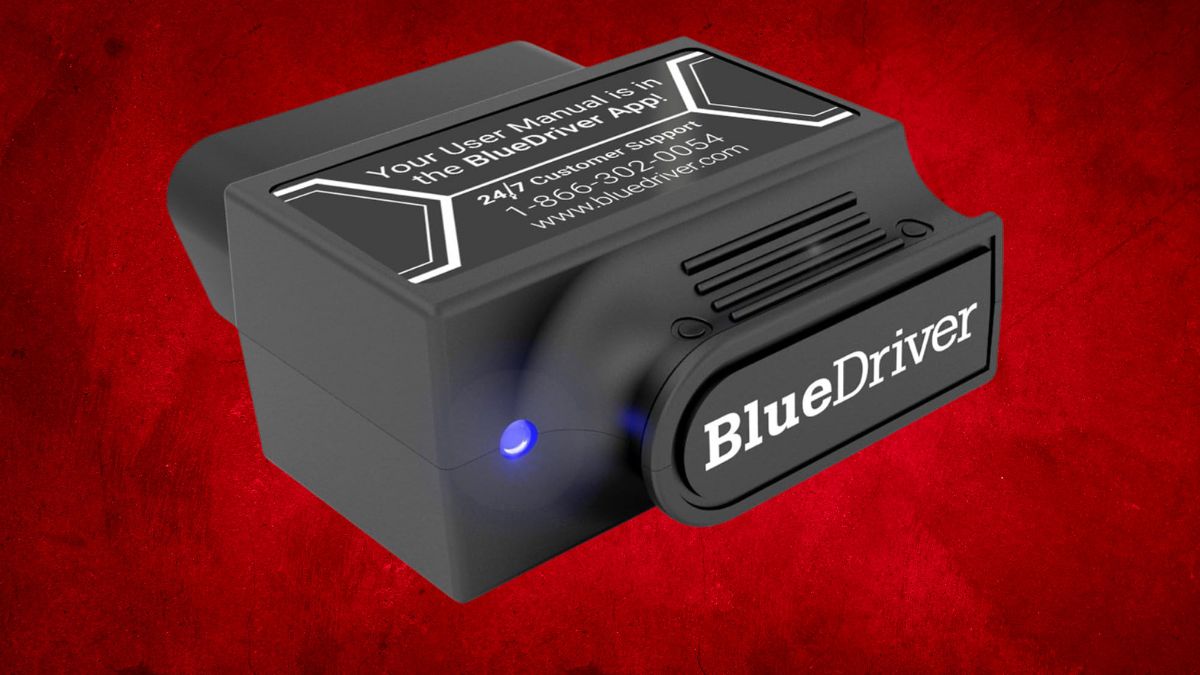
When that dreaded check engine light appears, uncertainty quickly follows. Paying $89 or more for a mechanic’s diagnostic test isn’t always appealing, especially when reliable tools can now put the same information in your hands.
The BlueDriver Bluetooth Pro OBDII Scan Tool has emerged as one of the most trusted options for vehicle owners who want advanced, easy-to-use diagnostics on both iPhone and Android devices. The question is simple—does it live up to its professional-grade claims while staying accessible for everyday drivers?
What Sets the BlueDriver Pro OBDII Scan Tool Apart
Before looking at its full feature set, it’s worth understanding why the BlueDriver stands out from the crowded OBDII scanner market.
Professional Engineering Excellence
Developed by North American engineers, the BlueDriver balances technical depth with ease of use. It connects to your car’s OBDII port and transmits data via Bluetooth, cutting out tangled cables and letting you position your phone or tablet wherever it’s most convenient. Unlike basic code readers, it offers enhanced, system-wide diagnostics that rival dealer-level tools.
Advanced Diagnostic Range
This scanner goes beyond reading engine codes by also covering:
- Check Engine Light (CEL)
- ABS codes
- SRS and airbag diagnostics
- TPMS alerts
For major brands like GM, Ford, Toyota, Nissan, BMW, Honda, and Volkswagen, it also pulls manufacturer-specific codes, giving you dealership-level detail without the dealership bill.
Cost-Effective Solution
The BlueDriver is a one-time purchase—no subscriptions, no hidden fees. This makes it an appealing long-term tool for anyone looking to avoid recurring costs while maintaining full diagnostic capabilities.
Complete Diagnostic Capabilities Explained
With its broad feature set, the BlueDriver shifts from being just a troubleshooting tool to a full vehicle health manager.
Comprehensive Code Coverage
It reads and clears both standard OBDII and manufacturer-specific codes. For each fault, you get a detailed repair report sourced from millions of verified fixes, helping you act confidently and avoid guesswork.
Preventative Maintenance Tools
Features like freeze frame data, smog check readiness, recall alerts, and maintenance schedules keep you ahead of potential issues rather than just reacting to them.
Real-Time Monitoring and Data Analysis
Beyond reading stored trouble codes, the BlueDriver provides live, on-the-road data.
Live Data Streaming
Watch engine performance, fuel trims, misfire counts, and sensor outputs in real time, whether you’re parked or driving.
Customizable Analysis Tools
Create dashboards with key parameters, view data graphs over time, and export reports to share with mechanics or keep for records.
Hardware Specifications and Compatibility
Its hardware is designed for practicality and wide use.
- Size: 2.2 × 1.9 × 1.0 inches
- Weight: 2.08–2.4 oz
- Vehicle Compatibility: All gas-powered vehicles from 1996 onward
- Connection: Bluetooth (iOS & Android app required)
While basic OBDII features work on all compatible vehicles, enhanced diagnostics are most complete for major manufacturers.
User Experience and Mobile App Integration
The free BlueDriver app transforms your phone into a professional-grade scan display. The interface is straightforward enough for beginners yet detailed enough for seasoned mechanics. Support is available 24/7, and regular updates add compatibility for newer models while expanding the repair database. You can also save multiple vehicles and track long-term maintenance history.
Price Comparison and Value Assessment
Priced around $119.95 (often available for under $100), the BlueDriver sits above entry-level scanners but far below full professional tools. Without subscription costs, it quickly pays for itself—especially when one avoided diagnostic fee covers nearly its entire price.
Limitations to Consider
While capable, it’s not without restrictions:
- No bi-directional control for active tests
- Some Bluetooth latency with heavy live data streams
- Requires its own app; no third-party compatibility
- Enhanced features vary by vehicle make and model
These won’t impact most everyday users but may limit professional shop use.
A Smart Choice for Informed Drivers
The BlueDriver Bluetooth Pro OBDII Scan Tool combines dealership-level insight with a mobile-friendly design and zero ongoing fees. It’s not meant to replace a mechanic for complex repairs, but it will arm you with knowledge, save on diagnostic costs, and help prevent costly breakdowns. For iPhone and Android users who want control over their vehicle’s health, it’s a tool that can quickly pay for itself.
Available on Amazon under the Automotive Diagnostic & Test Tools category. You can explore more products in this category to compare features and find the perfect fit for your needs.